Built for group homes and community care

Managers plan every home on the web. Staff clock in, write notes and read the handover on their phone. CareLoop keeps both in step.
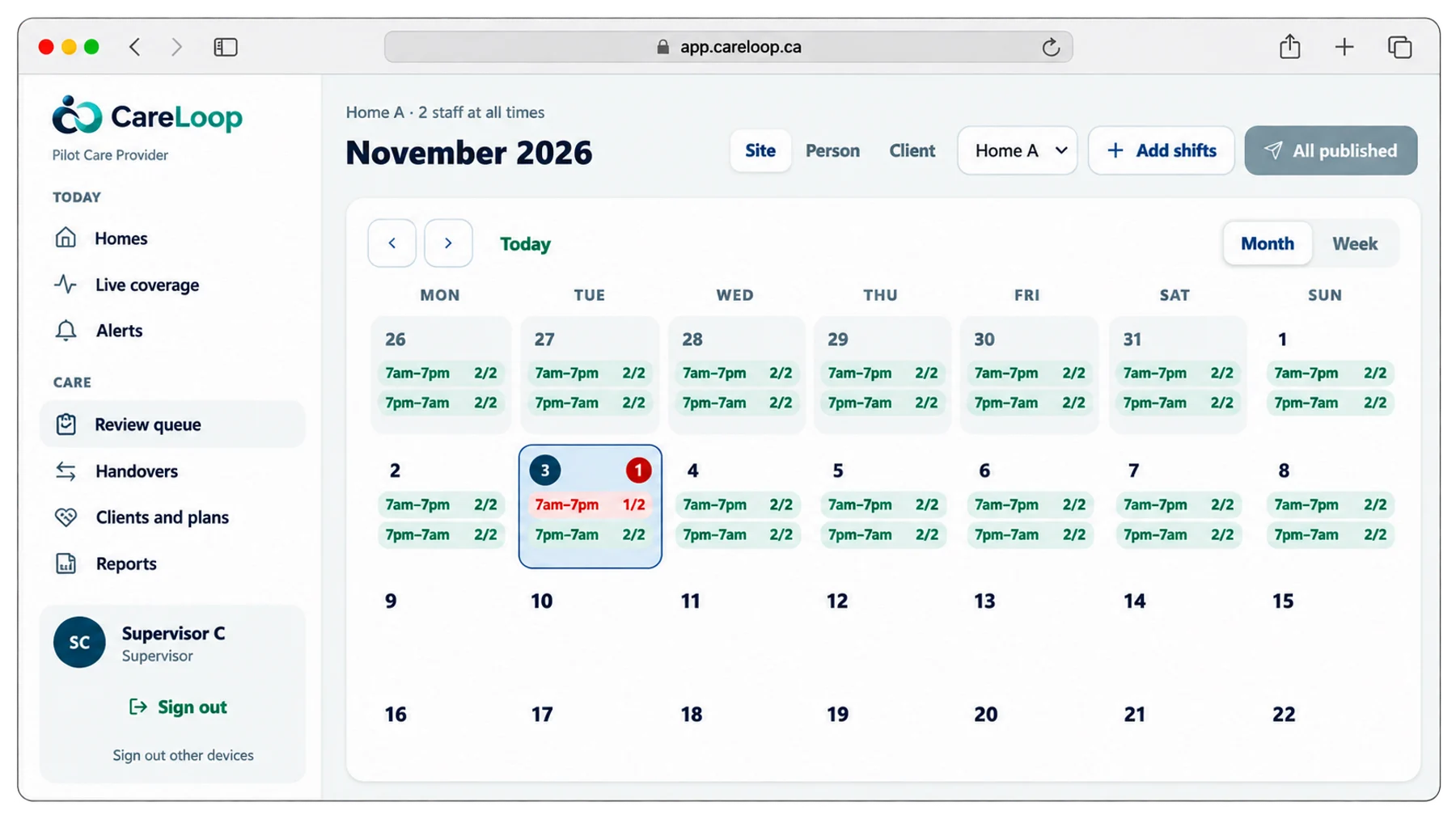
The CareLoop managers’ portal: the November schedule for a home, every shift fully staffed except one day shift with 1 of 2
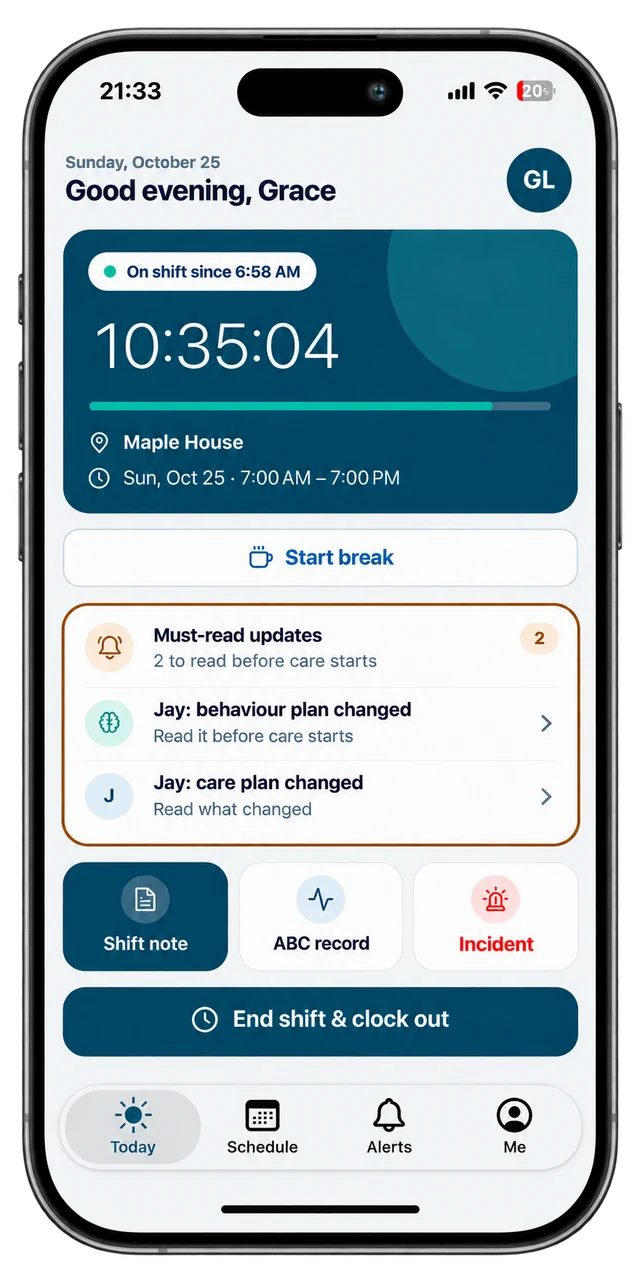
The CareLoop staff app: Grace is on shift at Maple House since 6:58 a.m., with two must-read updates before care starts
Tuesday, day shift1 of 2: relief offeredTuesday, day shift2 of 2: Sam picked it up
Work here? Get the staff app
Free for staff of organizations on CareLoop. Sign in with your work email.
The product

Everything that happens on a shift, recorded once, by the right person, and seen by whoever needs it next.

Schedules that fill themselves

Publish shifts per home with staffing rules and rest-time warnings. Open shifts go to the right people, and they pick them up from their phone.

Incidents that can’t be missed

Report with photos in minutes. Urgent ones escalate until someone acknowledges.

  1. Incident reportedStaff, from the home · 2:14 p.m.
  2. Supervisor alertedPush and email · 2:14 p.m.
  3. AcknowledgedEscalation stops · 2:19 p.m.

Care notes, written on shift

Shift notes, ABC records and care-plan tasks against each person’s approved plan. Leads approve or send back.

Morning routineDue 8:00 Done
Shift noteApproved
ABC recordIn review

Clock in at the door

From the phone, with an optional check that staff are at the home. Late starts and missed clock-outs are flagged.

At Maple HouseClocked in 6:58 a.m.

The home binder, live

Duties, the shopping list with receipt photos, meals and repairs, with one dashboard across every home.

Duties 6/8Shopping · 4 itemsDinner plannedRepair: smoke alarm
The CareLoop staff app’s Today screen at Maple House
For staff on shift

Staff open the app and see where they are, how long they’ve been on, and what they must read before care starts. Every record is one tap away.

  • Must-read updates firstA changed care plan or behaviour plan is read and acknowledged before care starts.
  • Notes, ABC records and incidents in a tapWritten while it’s fresh, with photos when needed, and reviewed by the Lead.
  • Nothing private on the lock screenAlerts only say there’s an update. The details stay inside the app.
Get the staff app
Free for staff of organizations on CareLoop. Sign in with your work email.
Who it’s for

Privacy and security

Stored in CanadaRecords, files and backups stay in Canadian data centres.
Every view recordedWho opened or changed a record, and when, in a log that can’t be edited.
Access by roleDenied unless a role and assignment allow it. Managers use an authenticator app.
Private by defaultNotifications and emails never carry client details.
Read the privacy policy
Getting started

  1. Step 1We set up your organizationYour administrator gets a welcome email and signs in.
  2. Step 2Add homes and peopleHomes with their staffing rules, staff one by one or from a spreadsheet, and clients with their care plans.
  3. Step 3Publish the first scheduleStaff install the app, sign in with their work email and see their shifts.
Questions

What is CareLoop?

CareLoop is care operations software for group homes and community care organizations. Managers plan schedules and oversee every home on the web; staff clock in, write shift notes, report incidents and read the handover on their phone.

Where is CareLoop’s data stored?

In Canada. Records, files and backups are kept in Canadian data centres, encrypted in transit and at rest, and every view of a care record is logged.

Does CareLoop work on phones?

Yes. The staff app runs on Android and iPhone, and in a web browser. Managers use the portal on any computer.

How do staff get access?

Their organization invites them. Staff sign in with a code sent to their work email, or with a password if they set one. Managers also use an authenticator app.

How long does it take to get started?

Days, not months. We set up your organization, your administrator adds homes, staff and clients, and you publish your first schedule.

See CareLoop with your own homes and roles in a 30-minute walkthrough.